Unable To Connect To The Database using ProjectPAK 9.0 or higher/ShopPAK 6.0 or higher
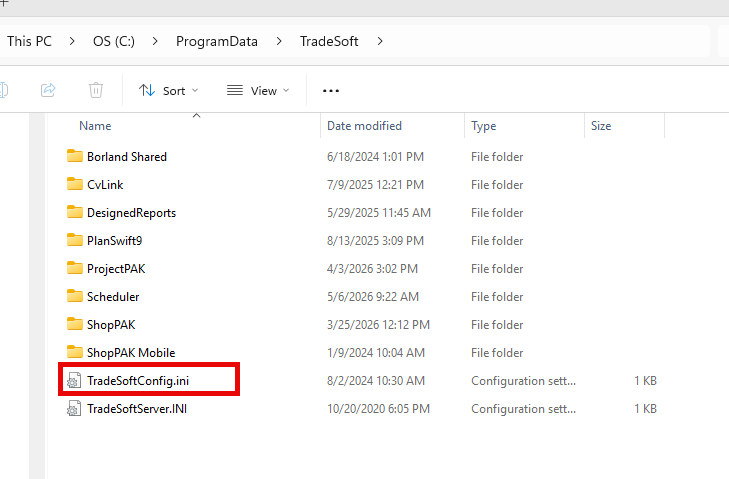
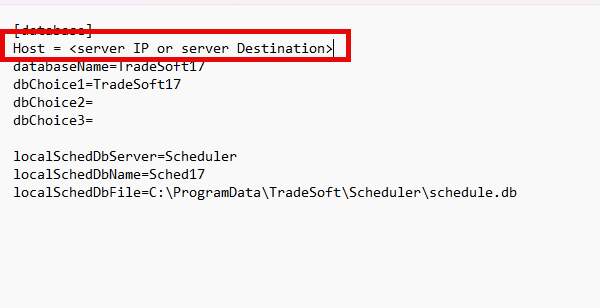
Sometimes you need to point the software to the database. To do that you’ll need to go to C:\ProgramData\TradeSoft Open the TradeSoftConfig.ini file and add a new parameter called “Host = “. Enter in the Server IP from where the database is running. Save the change and open your program again. If your environment requires a specific Port number, simply add a colon and the port number after the IP address like so: 192.168.0.19:7050