We’ve found that some users are having an issue with closing out of ProjectPAK after updating to version 9.0. To get around that there are two options to resolve this.
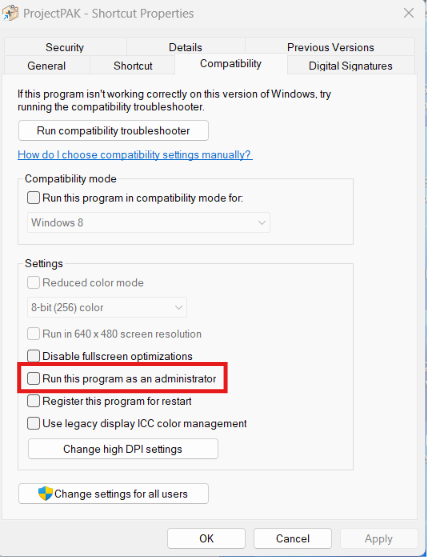
Option 1: Right click on the ProjectPAK icon prior to start up and clicking Run As Administrator. You set this permanently so you don’t have to do this step every time by right clicking on the ProjectPAK icon and selecting Properties | Compatibility and checking the “Run this program as an administrator” box.
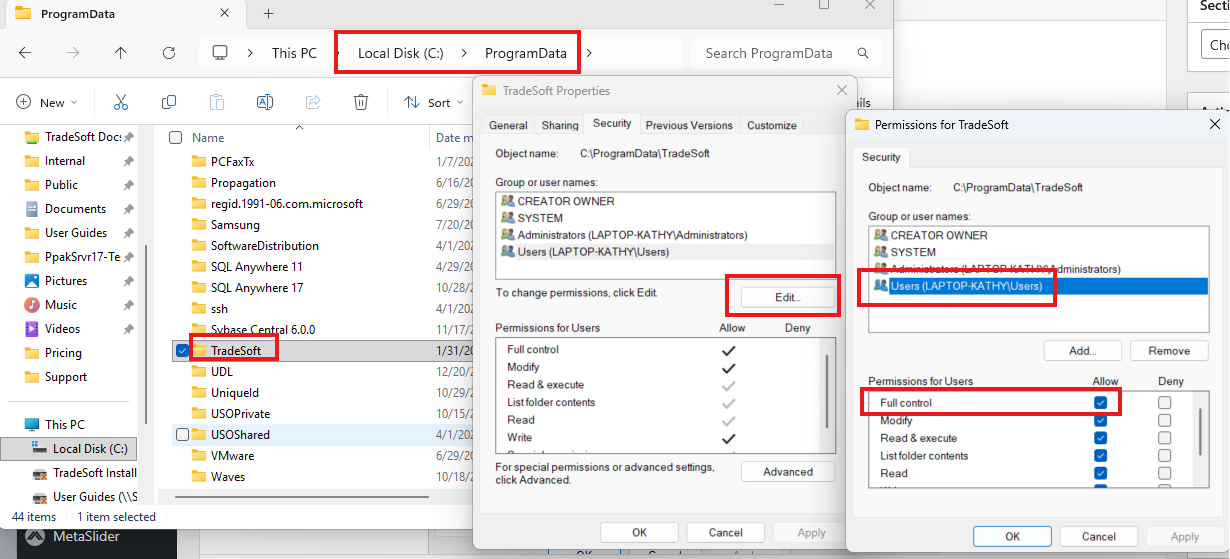
Option 2: Give Full Control over the entire ProgramData\TradeSoft folder. You will need to navigate to C:/ProgramData/TradeSoft. Right click and select Properties then the Security tab. Click the Edit button. Select the User and click on the check box under Allow for Full control.