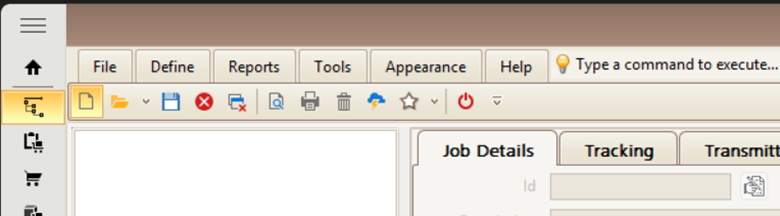
Here is how to create a new job for the new year that your shop can punch in and out of for all those Indirect Operations that you want to keep track of. Some people make it a quarterly thing while others do a monthly. Using your ShopPAK Jobs Tab click on the New button or go to File | New and create a new job…
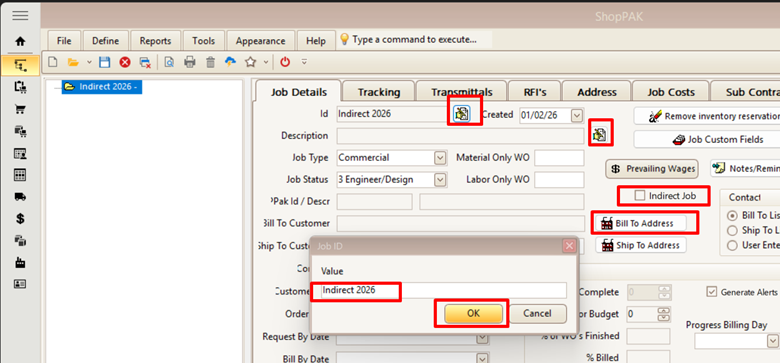
Now click on the small icon at the end of the Id & Description row at the top and name it Indirect 2026 (or whatever you want at this point). Don’t forget to assign it to your Company with the Bill To Address as well as checking the Indirect Job box…
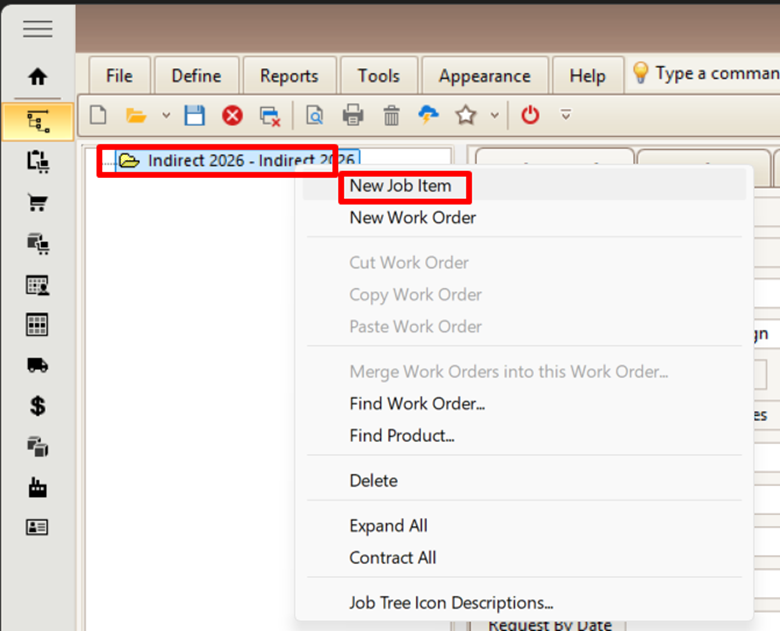
Next go ahead and right-click on the job title in the tree and choose New Job Item…
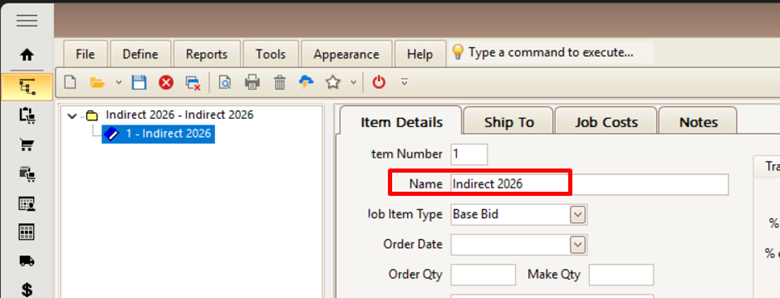
Naming it the same unless you want to create a job item that reflects the quarters…
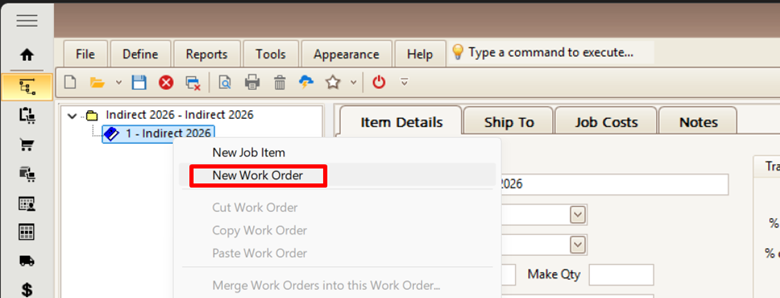
Now do the same by right-clicking on the Job Item and choose New Work Order…
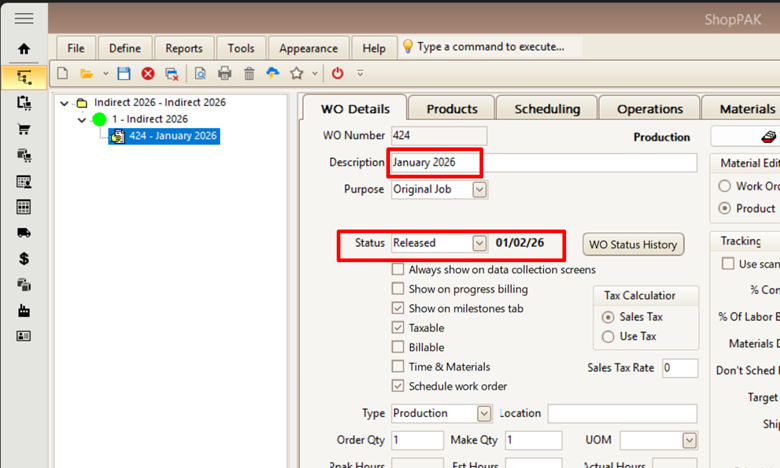
Like this, as you can see I choose to Release it in the Status box, you can wait to this until you are all done too…
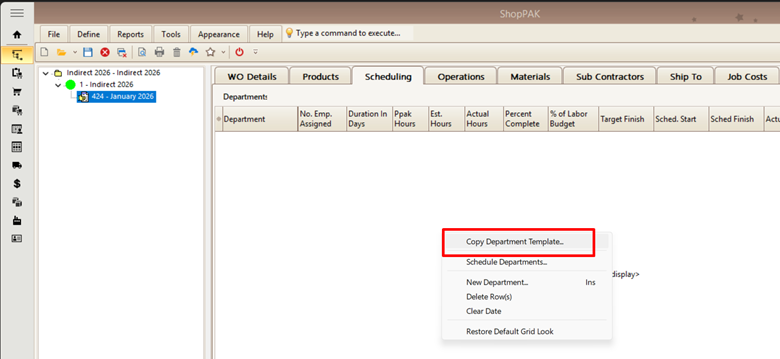
Now you can add a set of operations to the Operations tab or if you have created an Indirect Department Template just copy that onto the Scheduling tab…

If you have created that Indirect Department Template, you can then just use that to automatically fill that in here on the Scheduling tab…
Then move to the Operations tab and you will see all of those Operations listed. Now you can put in some Estimated Hours here start with 10 or so and then see how this progresses, unless you already know what you want in there, if you do not have that template you can just right click on the Operations tab and add in the different operations…

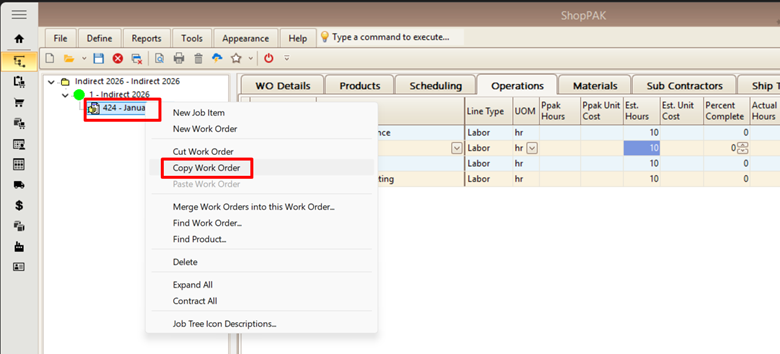
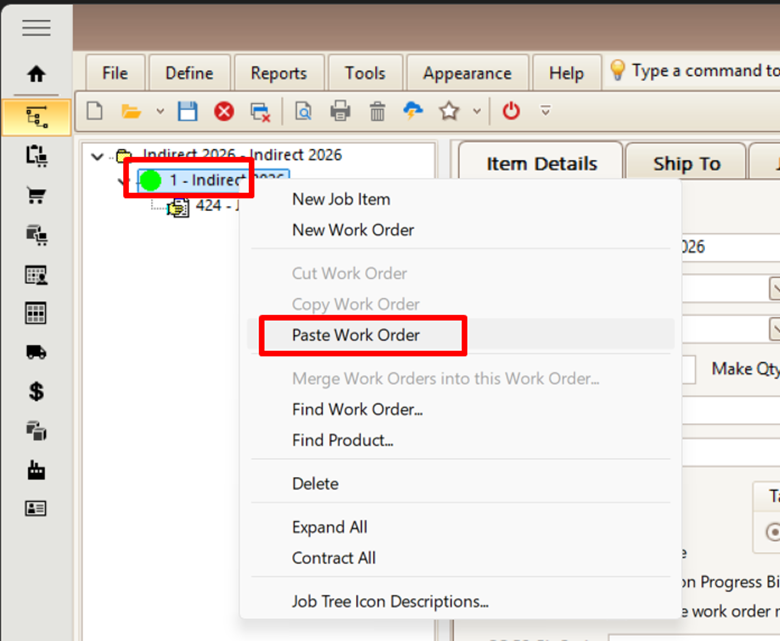
Once that is done you can right click again in the Tree and choose to Copy the first work order and then paste it again after re-clicking on the Job Item level…
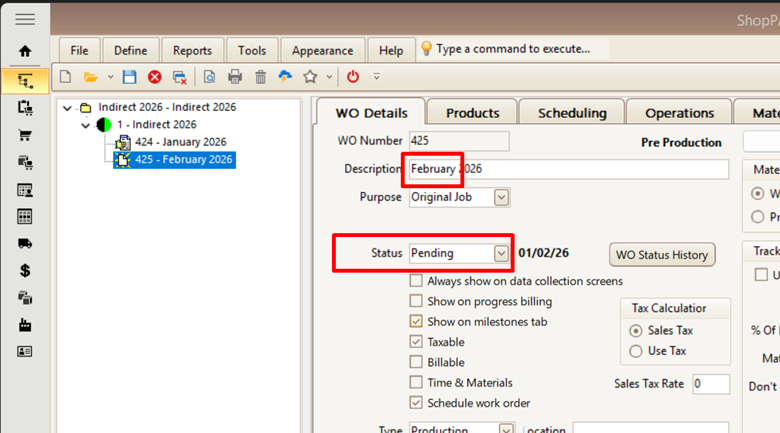
Then change the name to the next month and make sure it is marked as Pending…
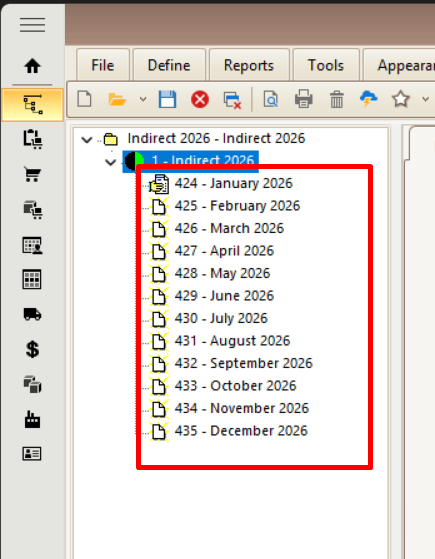
Now just repeat it until you have all 12 months setup…
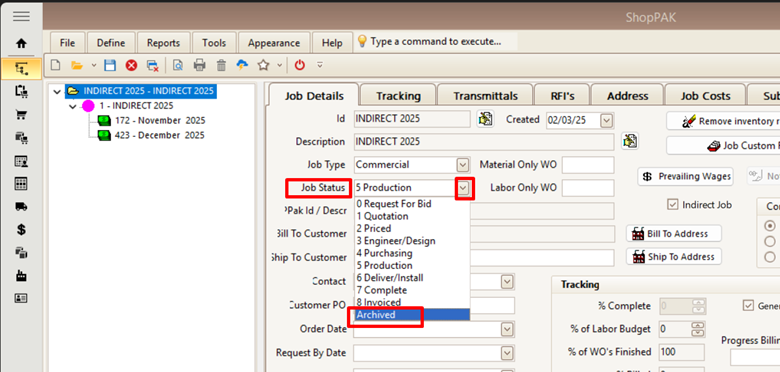
Now you have your whole year ready to go. Make sure to close up last year’s December work order by marking it Paid as well and after a few weeks even Archive the whole job away.
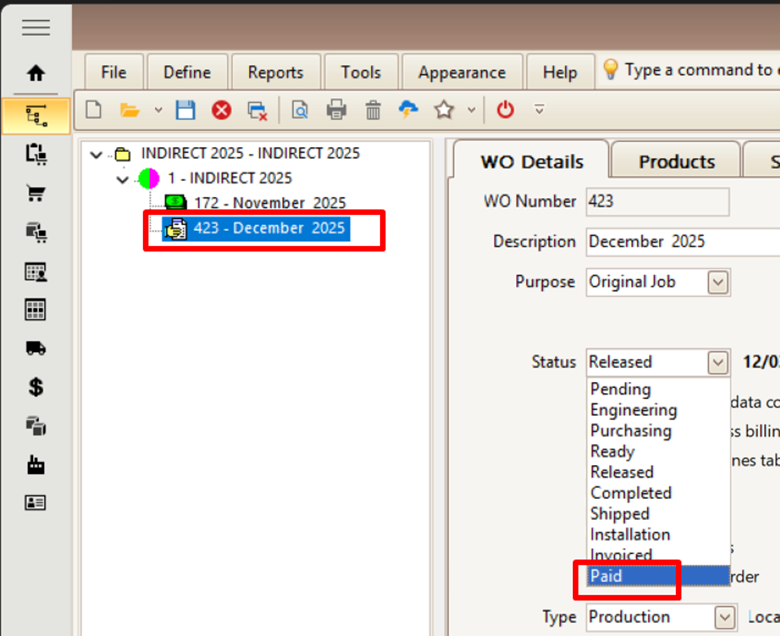
Like this…
Please reach out to support@tradesoftinc.com if you have any questions.