Inventory Form
Located under the ShopPAK major tab “Inventory”, the Inventory form is used to create, update, and delete inventory information. On the left side of the tab is the Inventory List. It contains the inventory items that you’re currently working with. If you select a particular inventory item from the Inventory List, you’ll see the inventory item’s information display on the Inventory form.
The ShopPAK inventory function is very powerful. It uses a perpetual inventory approach that is completely transaction based. A perpetual system drastically reduces the number of physical inventory counts you’ll need to take. Moreover, since it is transaction driven, you have an automatic and comprehensive audit log that captures every inventory related event.
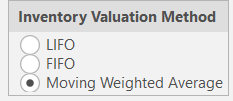
ShopPAK supports LIFO, FIFO, Moving Weighted Average, and Individual Item asset valuation and job costing. You should decide upon an inventory valuation and costing approach before you create inventory items. Set your asset valuation in ShopPAK Options on the “Accounting” sub tab. Make sure you consult with your accountant so you pick the best approach for your business. Your choice has both job costing and asset valuation consequences.
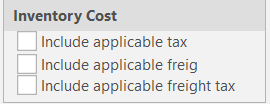
Another setup option is if you want to add tax, freight, and/or freight tax to inventory cost when receiving purchases. Choose how you want to handled these costs in the ShopPAK Options "accounting" sub tab.