
Opening an Inventory Item
1. Select File | Open from the ShopPAK menu or click the Open Record icon  from the speed bar. Note: Clicking the down arrow shows recently opened inventory items. Selecting an inventory item from the list opens the inventory item. Clicking the open folder icon displays the “Select Inventory Items to Open” dialog box.
from the speed bar. Note: Clicking the down arrow shows recently opened inventory items. Selecting an inventory item from the list opens the inventory item. Clicking the open folder icon displays the “Select Inventory Items to Open” dialog box.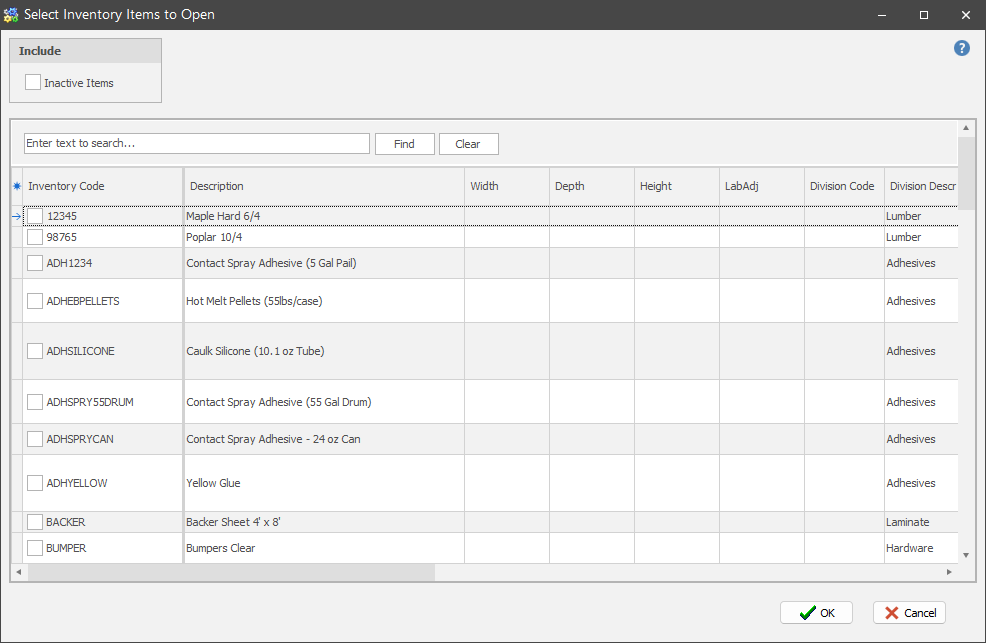
2. ShopPAK defaults to listing all inventory items by Inventory Code. Choose a different column to change the sort order.
3. Enter code or description in the "Enter text to search" field. With each letter typed, ShopPAK finds all of the potential matches and displays them within Search Results.
5. Select one or more inventory items you wish to open by clicking a check in the box.