Document Printing Defaults
ShopPAK generates 4 types of documents: Work Order, Purchase Order, Packing List (Shipping Ticket), and Invoices. It also produces bar coded material and product labels. You can set up default printing instructions for each document to improve document consistency and speed the process of generating documents.
Note: You can override document default instructions if needed when generating a particular work order, purchase order, packing list, and invoice. Changes at the document level are saved, should you need to print that document again.
|
Various reports will also look to the document default instructions to determine report formats. For example, several reports are available in a Bar Code format. Reports detailing information relevant to Job/Job Item/Work Order will look at the Work Order document printing options to establish which format is preferred. The report builder will look to the default printing options to determine the use of logos in report headers. The Direct Material Actuals report, for example, will look at the default document printing options for “Purchase Order” before a logo image is included in the report header.
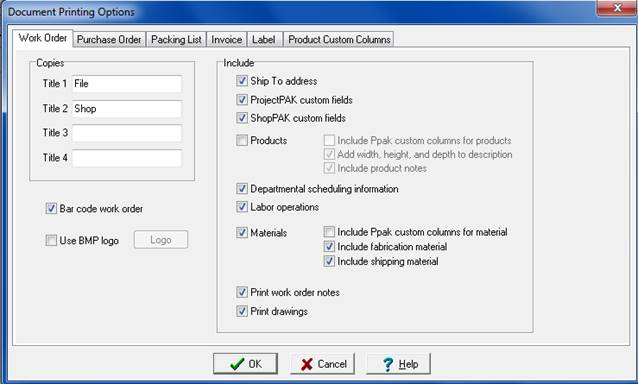
Select Define | Document Options from the menu. This displays the “Document Printing Options” dialog box.