
Packing List
The third tab holds the Packing List / Ship Ticket default document printing instructions.
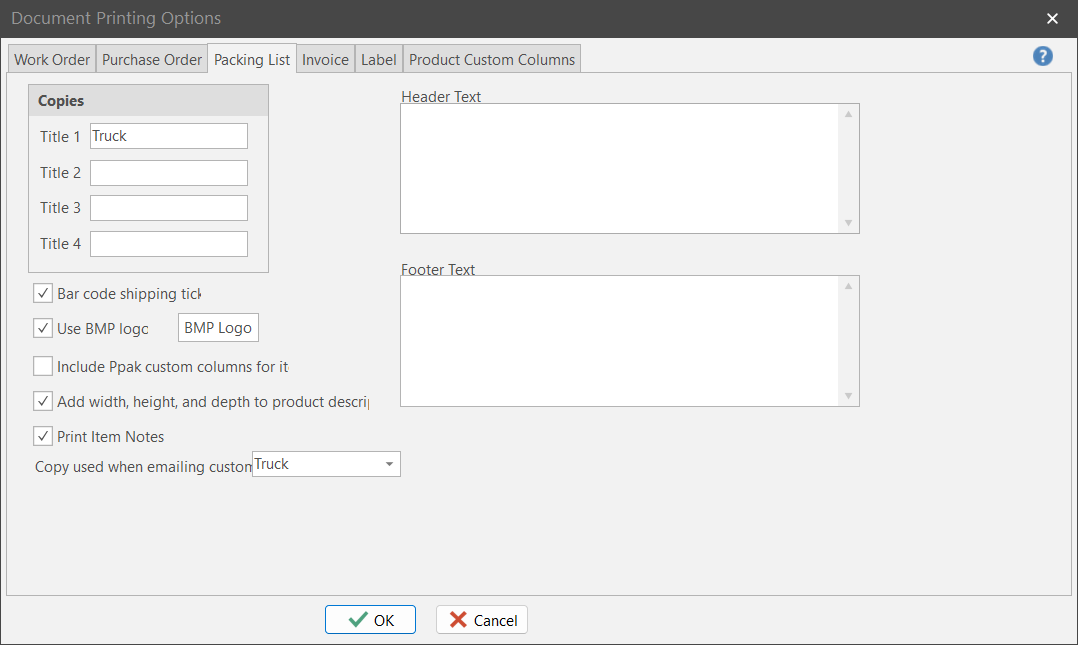
Copies
Print up to 4 copies of a given packing list. Each copy can have a unique title.
Note: This option simulates a paper-based system that requires different physical Packing List copies in order to function. With ShopPAK, it is highly likely that only one physical Packing List will need to be printed, provided interested parties have access to a ShopPAK PC.
|
Bar Code Shipping Ticket
Tells ShopPAK to print a Ship Ticket bar code so it can be scanned during verification.
Use BMP Logo
If you want to print your company logo at the top of the packing list, click the checkbox. ShopPAK reads BMP file format. Use the “BMP Logo” button to identify the BMP file that contains your business logo, and the position you want to print the logo.
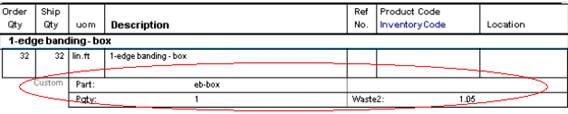
Include PPAK Custom Columns For Items
Tells ShopPAK if you want to print custom columns when printing Ship Ticket items.
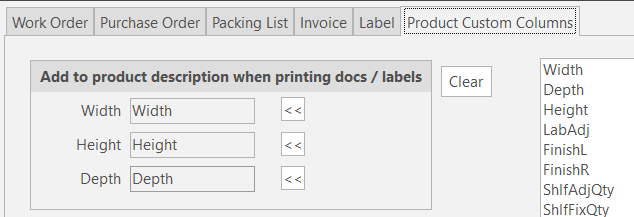
Add Width, Depth, and Height to Product Description
Tells ShopPAK if you want to append width, depth, and height to product description when printing.
Use the ‘Product Custom Columns’ tab to identify which custom columns correspond to Width, Height, and Depth.
Print Item Notes
Tells ShopPAK if you want to print item notes when printing a ship ticket item.
Header Text
Free form text that you want printed towards the top of the packing list.
Footer Text
Free form text that you want printed towards the bottom of the packing list.