
Payroll Export
The QuickBooks (integrated) interface gives users two choice when exporting payroll hours. You can base payroll hours on Time & Attendance transactions (like we do for all the other accounting exports), or you can drive payroll export from job cost labor actuals. The advantage of using labor actuals is we can also include job information, and optionally operation, when exporting payroll hours.
In the ShopPAK Options Accounting tab, if you select QuickBooks (integrated) as your Accounting interface, ShopPAK displays the Payroll Hours Export choice:
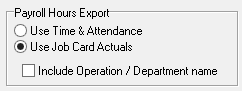
Choose either Time & Attendance or Job Card Actuals.
Job Card Actuals
If you choose to drive payroll hour export from job labor actuals, you must identify default Regular, Overtime 1, and Overtime 2 payroll items.
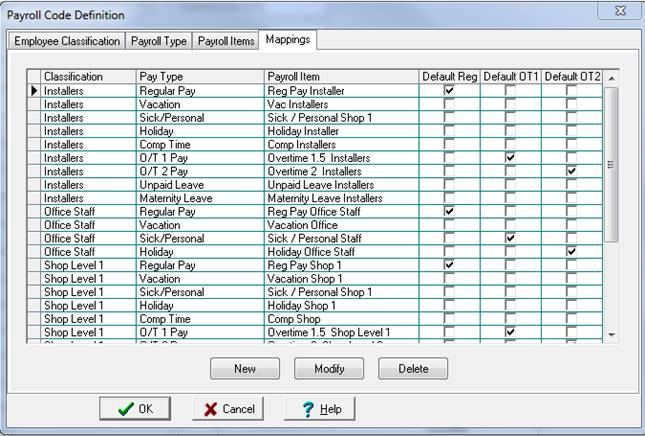
Select Define | Payroll Codes from the ShopPAK menu and then click the ‘Mappings’ tab.
Note: If you don’t see the three checkbox columns, it means you have not identified the QuickBooks company file, or you haven’t chosen ‘Use Job Cost Actuals’ from the ShopPAK Options | Accounting tab.
|
Place a check into the corresponding regular, OT/1, and OT/2 payroll item for each employee classification. When ShopPAK exports payroll hours, it interrogates this form to include the correct payroll item.
Operation / Department Name
If you want to capture the labor transaction task, place a check in 'Include Operation / Department name'. Note, you need to create associated QuickBooks service items that exactly match ShopPAK operation code / name to use this option.