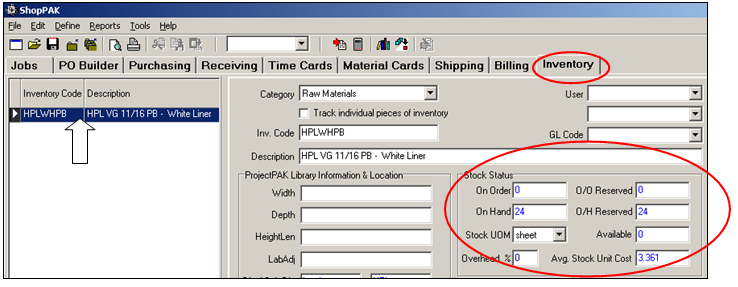
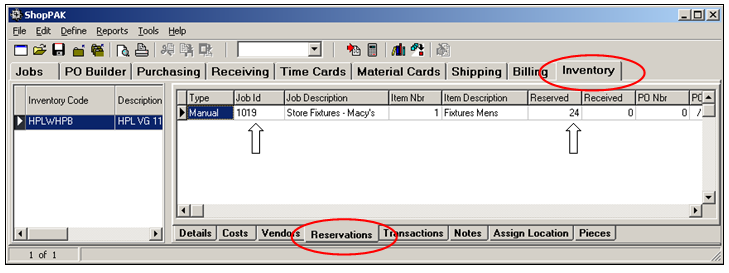
Insufficient Inventory to Meet Material Need
Over time, you’ll determine the correct re-order points for inventory items so ‘on hand’ usually matches daily demand. However, there will be jobs from time to time with an unusually high demand that exceeds available inventory. In this case, you’ll either create a new purchase order for the entire quantity (explained later in this chapter), or you’ll reserve the remaining inventory for the job AND create a purchase order for the difference (again, explained later in this chapter).
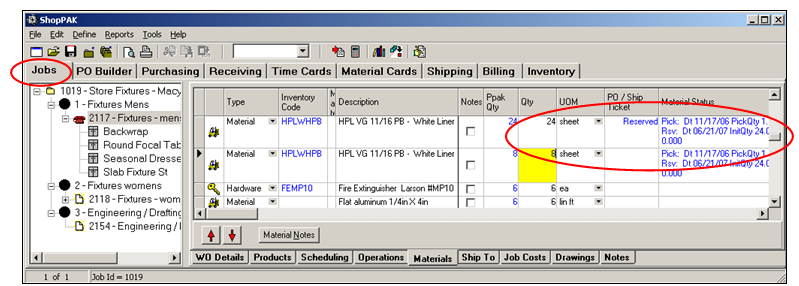
For example, job 1019 needs 32 sheets of “HPL VG 11/16 PB – White Liner” but we only have 24 sheets available in inventory.
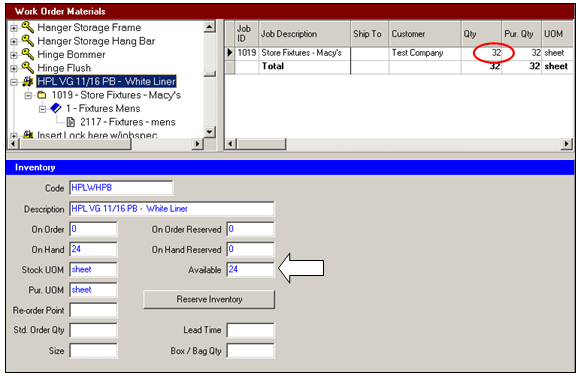
Clicking the “Reserve Inventory” button places a reservation against the 24 sheets for job 1019 leaving a difference of 8 sheets that still need to be purchased.
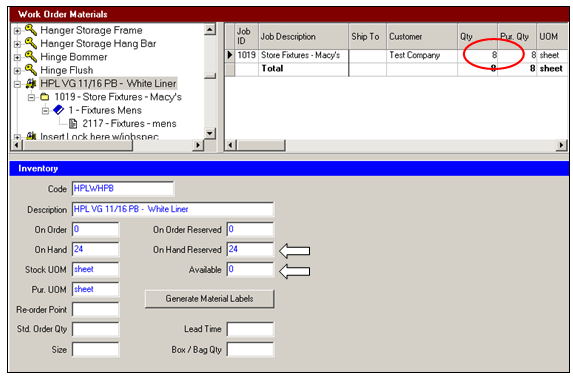
ShopPAK automatically keeps the corresponding work order materials sub-tab updated with purchasing and reservation status information. In the example below, it has replaced the original “HPLWHPB” material row that called for 32 sheets with two new rows. The first row shows that 24 sheets have been reserved against inventory. The second row shows that 8 sheets still remain outstanding (the 8 sheets have not been reserved or included on a PO yet).
Just as ShopPAK keeps the “Jobs” tab updated with purchasing and reservation information, it keeps the “Inventory” tab updated as well.