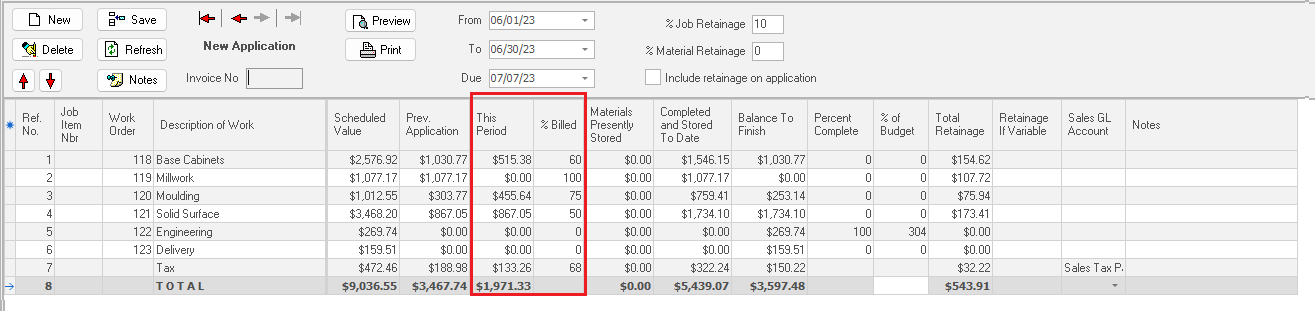
Generating Subsequent Progress Billing Applications
To create the next progress billing for a new month, click the “New” button.
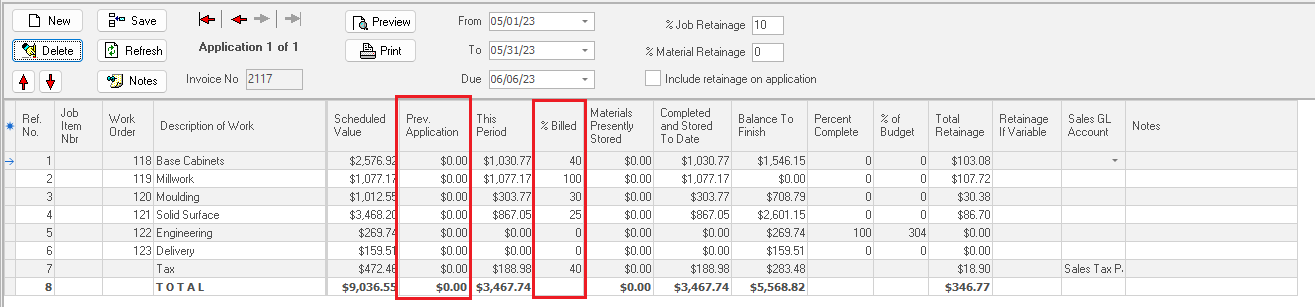
ShopPAK calculates “Previous Application” amounts from prior applications. “% Billed” also reflects the prior application percentages.
Identify the next billing period’s “From” and “To” dates, and either enter the amount of money to be billed this period into “This Period”, or enter the new “% Billed” percentage. Tabbing out of either cell recalculates related cells accordingly, as well as, sales tax and totals.