
Exporting AIA Progress Billing Invoices
1. Select File | Export | Progress Billing Invoices from the ShopPAK menu. This displays the “Progress Billing Export” dialog box.
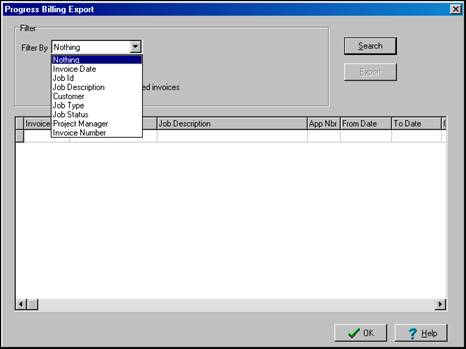
2. Select the invoices you want to export by using the “Filter” choices. This fills up the invoice grid with the invoices that match your selection criterion.
Note: To make sure only ‘new’ invoices are sent to your accounting package, leave the “Include only non-exported invoices” checkbox checked.
 |
3. Click the “Export” button. ShopPAK checks to make sure all necessary export information is present. If not, it displays an error message and terminates the export request. If all necessary information is present, it displays an “Export File Name” dialog box.
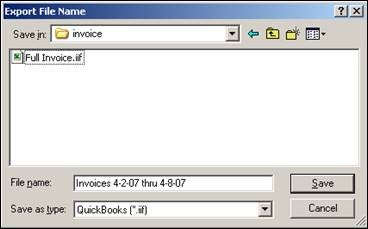
4. Choose a file name and location where ShopPAK should create the export file. ShopPAK displays a progress bar while building the file. When finished, the file is ready to be imported.