
Starting Power Query
Excel 2016 & Newer
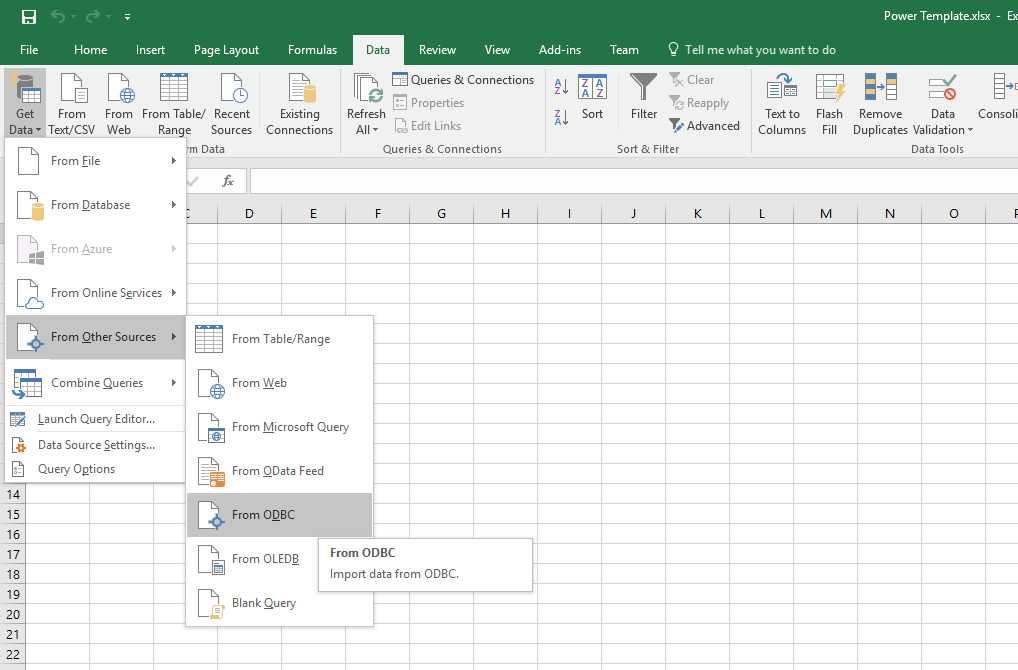
Open Excel and go to Data | Get Data | From Other Sources | From ODBC.
Excel 2013 & Older
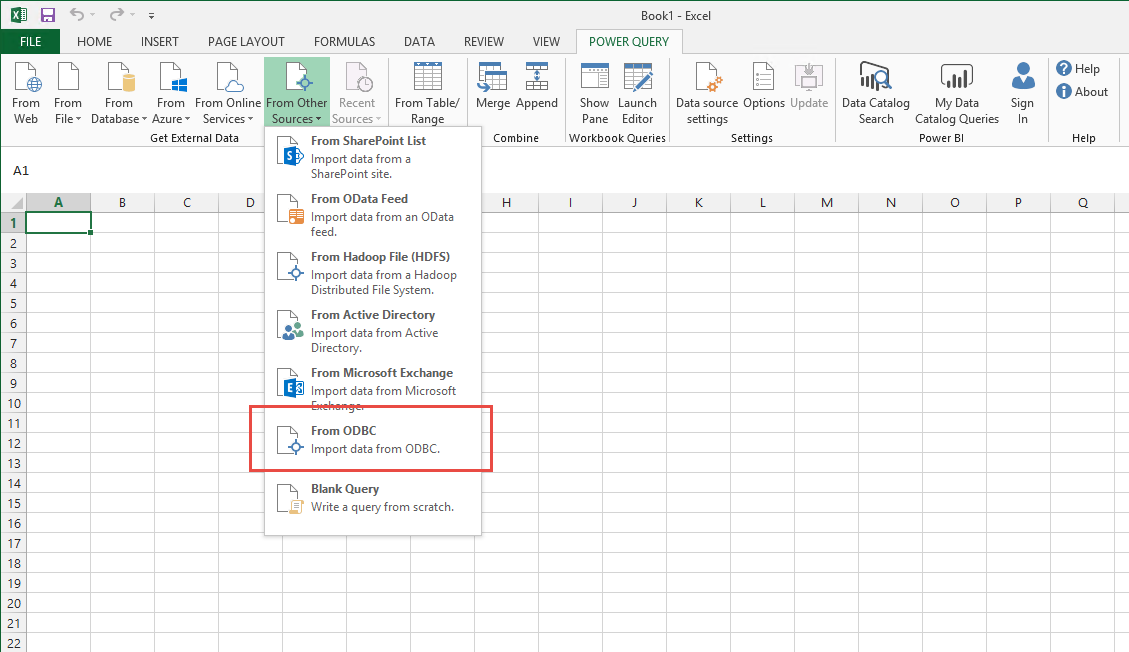
Open Excel and go to Power Query | From Other Sources | From ODBC.
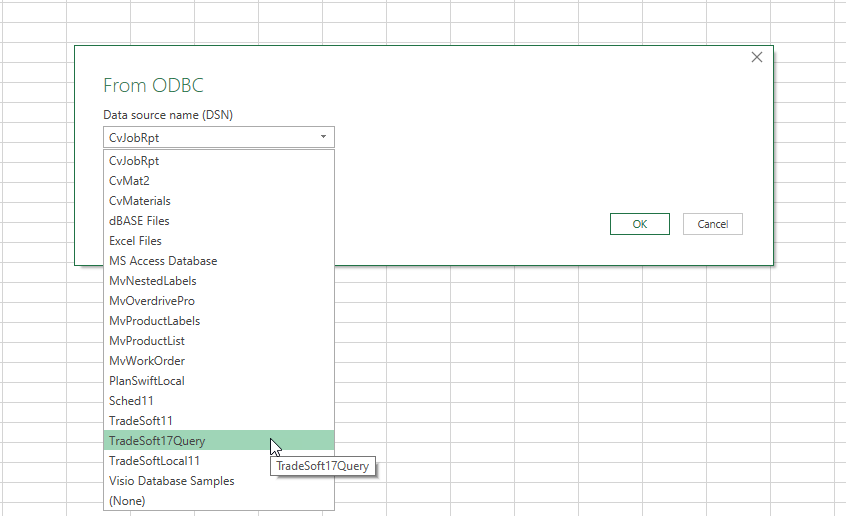
Click the drop-down and select ‘TradeSoft17Query’
If this is the first time you have used this feature in Excel you will be asked a user name and password to connect to the database once you click OK.
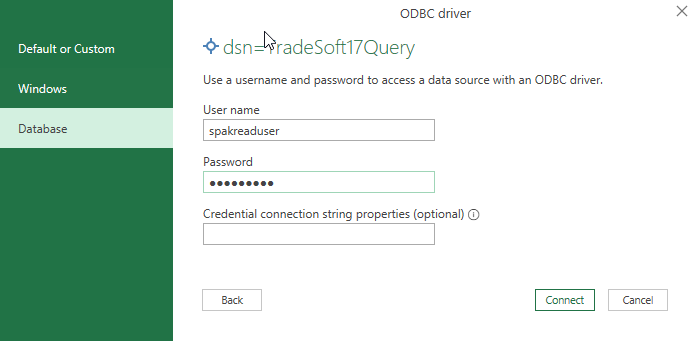
The credentials are as follows:
User name: spakreaduser
Password: TradeSoft