
Importing Material
Importing material is a little more involved than importing products because…..
1) The import file may contain different types of materials (board stock, sheet goods, hardware, etc.), or it may contain just one type of material. Each material type needs its own import options and conversion formulas.
2) The import file may contain parts, as opposed to, distinct materials. Parts need to be aggregated together into distinct materials, before importing. ShopPAK provides a number of conversion formulas to automate the process.
To import material into a work order, select the target work order from the Jobs tree and click the Materials sub-tab.
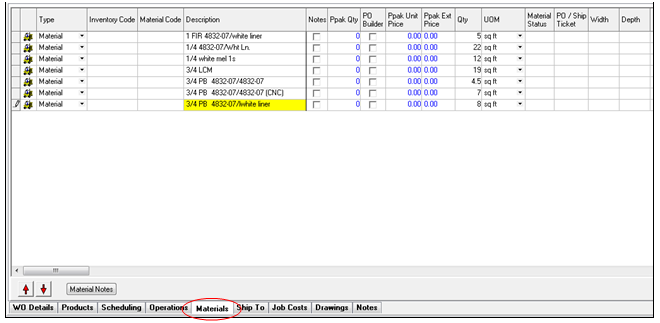
Right mouse click the materials grid and select Import Materials from the pop-up menu. This displays the Import Materials dialog box:
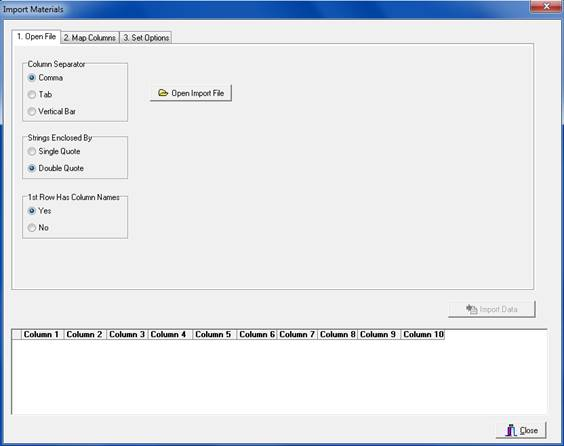
Importing material is a 4 step process:
-
Open import file and tell ShopPAK how it is structured.
-
Map import file columns to corresponding material fields.
-
Choose import options.
-
Import file by clicking the Import Data button.