How to do Purchase to Stock Finished Goods
1. Create a purchase order, copying the required finished goods from inventory on to the PO Item grid. When purchasing finished goods, ALWAYS use the PO Line Type -> ‘Stock’. This will be the default.
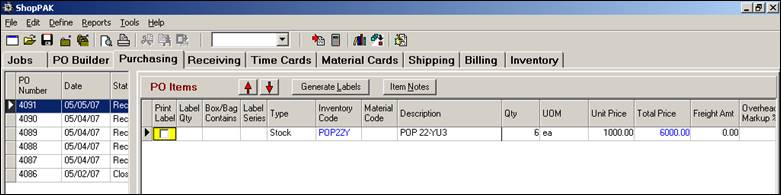
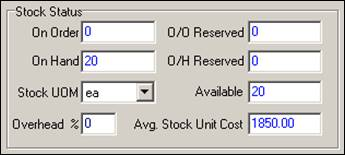
2. Receive the inbound ‘finished goods’ products via the ‘Receiving’ tab as normal. ShopPAK knows when your receive inventory marked as Finished Goods. When using FIFO or LIFO inventory costing, ShopPAK creates another purchase costing group on the Cost sub tab for the received inventory item and updates quantities accordingly:



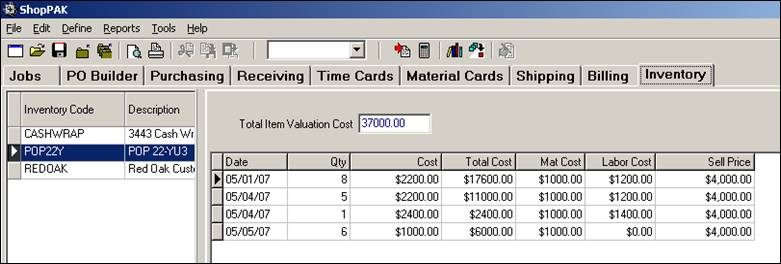
Notice that when ShopPAK detects a Finished Good is being received, it attributes ALL cost as ‘Material’. For example, the 6 units of ‘POP22Y’ are showing up under ‘Material’. ShopPAK recalculates the new ‘Available’ quantity and average stock unit price.