General
Job Cost Summary
First page prints a concise, high level summary of the job’s labor, material, sub-contractor and miscellaneous costs. Also includes pertinent scheduling and tracking information. Great for a summary level post mortem of the job or showing the current ‘snapshot’ of where the job is at. The second page prints summary Job Item, and within each Job Item, Work Order information.
Job Item Cost Summary
Concise report that prints one line for each Job Item in the job showing labor cost, other cost, and material cost. Includes both direct and overhead charges and shows percentages of cost as compared against total sell price.
Work Order List
An alternative to printing individual work orders. The work order list prints all or a subset of the job’s work orders. Several options are available for what you want printed on the report:
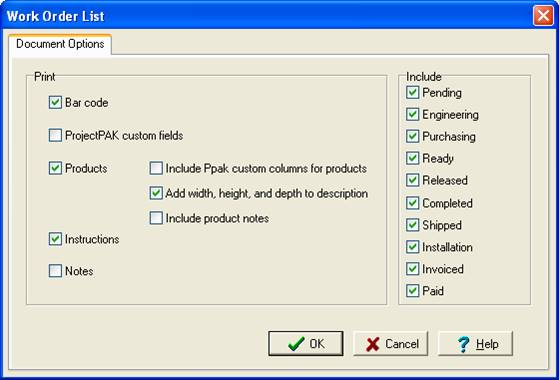
Besides being an alternative for printing single work order documents, some customers find this report useful for tracking progress and job costs as well.
Product Labels
Prints all of the product labels that have been requested for the job. Product labels are defined at the Product level or on the Work Order “Products” sub tab. Labels are formatted to print on different Avery Label sheet stock or on single column rolls. See Chapter 8 page 16 for instructions on setting up Work Order product labels.
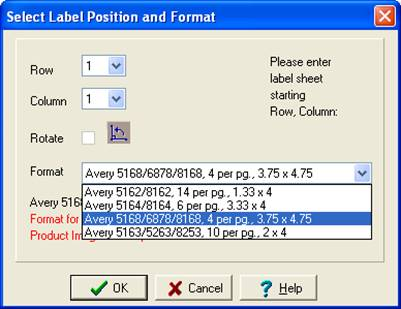
When you select “Product Labels”, the label printing dialog box is displayed so you can indicate where label printing should start on the first page of the label stock, as well as, what label size you want to print.
Miscellaneous Job Cost Details
Lists all miscellaneous costs (travel, freight, and miscellaneous) recorded for the job. When you select this report, ShopPAK displays a “Sort By” area that determines how the report is sorted and sub-totaled.
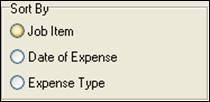
Choose the way you want the miscellaneous report organized and click OK to generate the report.
Product List
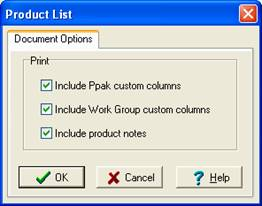
Prints products defined under the job including product Id, description, work order, order quantity, ship quantity, and ship date. When you select the report, you can request that ProjectPAK custom columns, work group custom columns, and/or product notes be printed as well.