
Creating a New First-Cut Invoice
1. On the “Shipping” tab, open a ship ticket that you want to base a first-cut regular invoice upon.
2. The shipping status must be “Shipped” or “Shipped Incomplete” before you can generate an invoice.
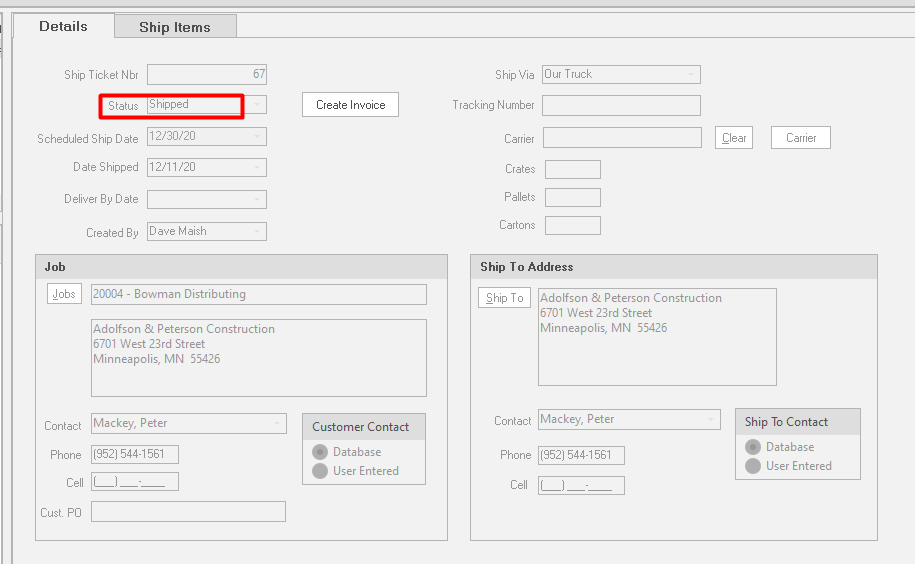
3. Click the “Create Invoice”  button. ShopPAK generates a first-cut regular invoice from information contained on the shipping ticket. It displays the following message when finished:
button. ShopPAK generates a first-cut regular invoice from information contained on the shipping ticket. It displays the following message when finished:
ShopPAK automatically navigates to the Billing tab and opens the newly created invoice.