
Opening an Invoice
Select File | Open from the ShopPAK menu or click the Open Record icon  from the speed bar. Note: Clicking the down arrow shows recently opened invoices. Selecting an invoice from the list opens the invoice. Clicking the open folder icon displays the “Select Invoices to Open” dialog box.
from the speed bar. Note: Clicking the down arrow shows recently opened invoices. Selecting an invoice from the list opens the invoice. Clicking the open folder icon displays the “Select Invoices to Open” dialog box.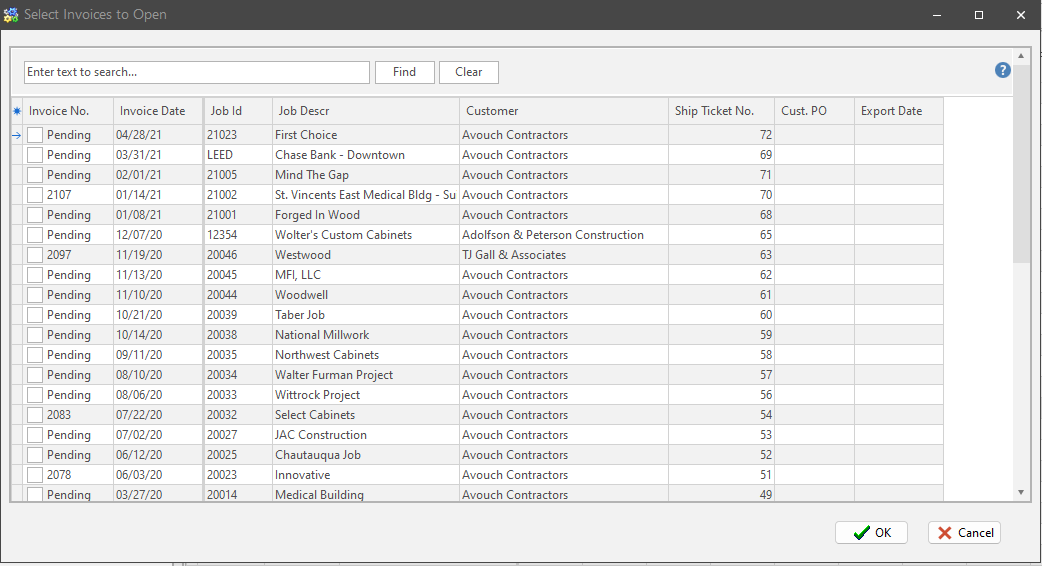
Open by either double clicking on the invoice, or placing a check in the box(s) and clicking the OK button. If
The billing(s) you selected display in the “Billing” grid. Click the billing you want to browse or update.