
Running the Purchase Order Export Utility
To export one or more purchase orders, select the Purchasing tab and click the “Open” speedbar button  . This displays the “Select Purchase Orders to Open” dialog box. Click on the "Advanced Search" button
  .
.
. This displays the “Select Purchase Orders to Open” dialog box. Click on the "Advanced Search" button .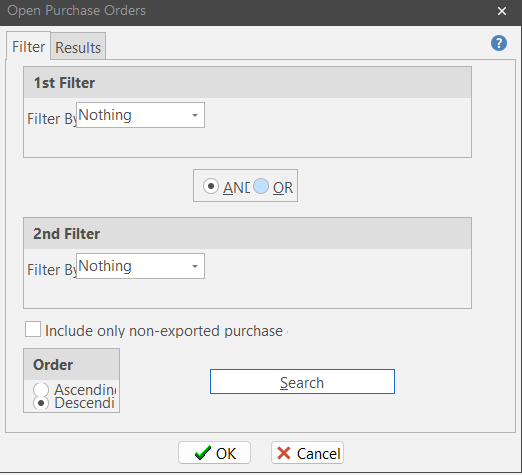
Several filters are available to help you find the purchase orders you want to export.
Include Only Non-Exported Purchase Orders
This filter option is turned off by default. Typically, you only want to export purchase orders that have not already been exported, so it is a good idea to check this option so only non-exported purchase orders are considered.
Search Button
Once you’ve selected your filtering directives and have entered search values, click the “Search” button. ShopPAK retrieves the purchase orders that match your filter options and lists them on the “Results” tab.
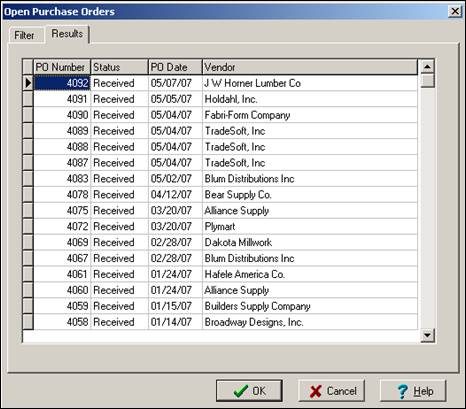
Click “OK” if you want to copy all of the listed POs into the Purchasing form’s “Working List” of purchase orders.
If you don’t want to export all of the purchase orders listed, choose a subset by clicking the row buttons (located to the far left of each row) of the purchase orders you want to export. If you select non-continguous rows, make sure you hold down your CTRL button when you click additional rows so you don’t lose previous selections. Click OK to return the selected purchase orders to the “Working List” of purchase orders.
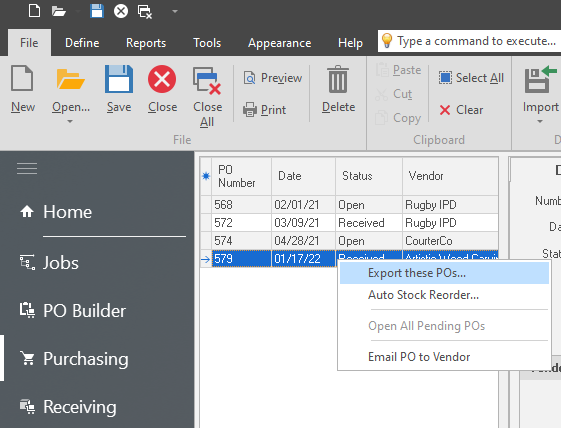
Right mouse click the list of purchase orders displays the purchase order pop up menu. Select “Export these POs...”. ShopPAK checks for any missing information. If it finds any problems, it displays a warning message explaining the problem.
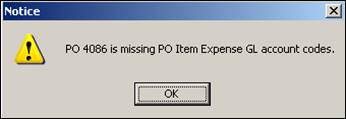
If there’s a problem, ShopPAK cancels the export request. If the purchase orders have all the necessary information to be exported, ShopPAK displays an “Export File Name” dialog box so you can enter a name for the export file.
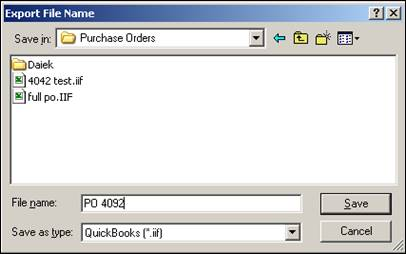
Create the file by clicking “Save”. ShopPAK displays a progress bar while it extracts information and formats it according to the accounting package’s import specification. When finished, it displays the number of export records created. The file is ready to be imported.