
Regular Invoice Document Layout
ShopPAK generates regular invoices that contain information for the currently selected billing. What gets printed on the invoice depends on the Invoice printing instructions.
Note: See “Setup and Options” for instructions on setting Invoice default document printing options.
|
If you don’t override the default Invoice printing instructions, the generated Invoice prints according to the default document instructions. This will be the situation most of the time.
However, if you need to override the printing instructions for a particular Invoice:
1. Find the billing you want to print in the “Billing” grid. Select it by clicking it with your mouse. The billing information displays on the billing form.
2. Click the “Override Document Print Instructions” icon  from the speed bar. This displays the “Invoice Printing Options” dialog box shown on the next page.
from the speed bar. This displays the “Invoice Printing Options” dialog box shown on the next page.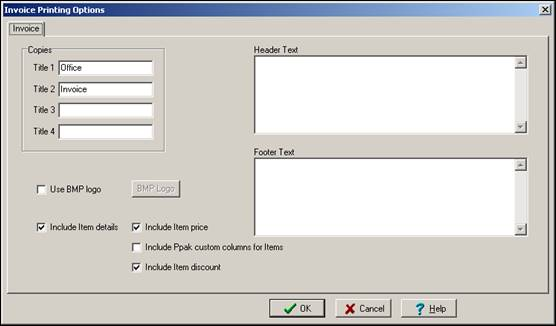
Change the printing instructions as needed for this invoice and click OK.
Note: ShopPAK remembers printing instruction changes for an invoice. If you reprint the invoice, you don’t need to modify the default printing instructions again.
|