
Reconciliation Summary Information
Once a purchase order has been received, ShopPAK displays reconciliation summary information:
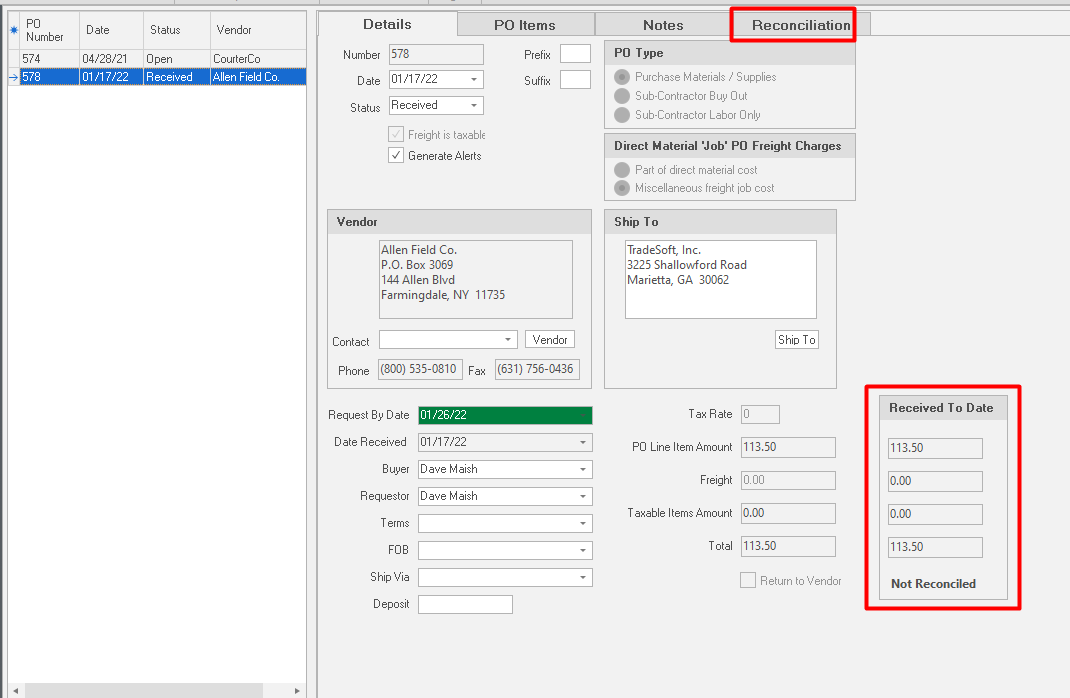
The summary area gives you a high level view of reconciliation status and whether there is any variance between the purchase order and the actual vendor invoice(s).
Note: If you have a backorder situation, you’ll have multiple ‘Receiver’ records and multiple vendor invoices for a given purchase order.
As you reconcile vendor invoices on the “Reconciliation” sub-tab, ShopPAK automatically keeps the summary level information updated on the “Details” sub-tab.
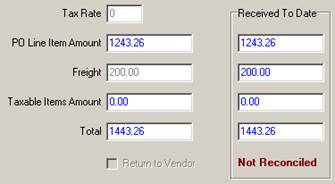
A. B.
 |
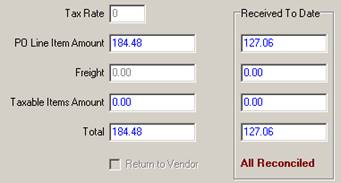 |
Example of a PO that has not yet been reconciled Example of a PO that has been reconciled
Note: Vendor invoice reconciliation is not available for “Return To Vendor” or “Labor only Sub-Contractor” purchase orders. Because these types of purchase orders are not ‘received’ via the Receiving form, no distinct ‘Receivers’ are created. Vendor reconciliation depends on reconciling distinct receivers against matching vendor invoices.
|
Reconciliation Status includes:
-
‘Not reconciled’ None of the receivers have been reconciled.
-
‘Some reconciled’ Some of the receivers have been reconciled.
-
‘Reconciled’ All of the receivers, so far, have been reconciled.