
Indirect Jobs
Most jobs you run through ShopPAK will be for actual customers. We refer to these jobs as ‘Direct’ jobs, since we are capturing direct material and labor costs associated with engineering and fabrication and applying them to their corresponding jobs.
But what about time spent on estimating, project management, meetings, maintenance, repair, clean up, training, etc? It is important to capture these costs as well. We recommend setting up a special internal ‘Indirect’ job once a year to do this.
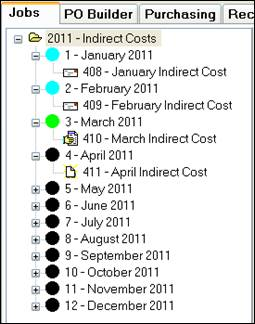
Create one Job Item for each month of the year, and under each Job Item, create one work order. As you enter each new month, communicate to all staff that they should log indirect hours on the new indirect work order.
To minimize errors when moving to the next indirect month, change the prior month’s indirect work order status to “Invoiced” and change the new month’s indirect work order from ‘Pending’ to ‘Released’. Typically, ShopPAK users only show ‘Released’ work orders on shop floor data collection screens.
IMPORTANT
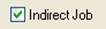
When creating an ‘Indirect’ job, make sure you place a check in the “Indirect” checkbox located on the Job Details sub tab.
Because ShopPAK includes “Direct Job / Indirect Job” as a filter when generating job oriented job cost reports, it allows you to separate these two categories of cost. Typically, you don’t want to mix direct jobs and indirect jobs when assessing trends over several jobs.