Entering Time Manually
The PC Data Collection system automatically timestamps transactions with a start and stop time as employees log on and off of work orders. This gives you a very accurate accounting of exactly how much time employees are actually spending on work orders / labor operations.
But what if you have an activity that takes place outside of the shop? In this case, the normal way of logging on and off of work orders doesn’t work. Instead, employees need to enter their time manually.
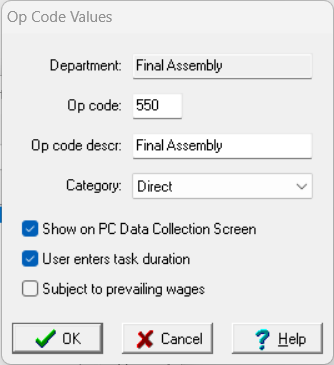
Whether the PC Data Collection system automatically timestamps transactions, or it requests an employee to manually enter their time, depends on how you define the labor operation code. Operations are defined in ProjectPAK via the Define | Operation Code menu item. If an operation needs time entered manually, place a check in the “User enters task duration” checkbox.