
Drawings
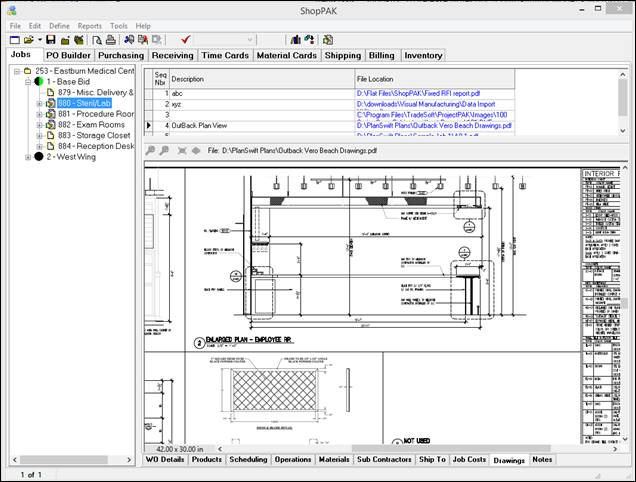
You can view Work Order drawings via the shop floor kiosk. Note, drawings must first be associated with a work order via ShopPAK Work Order drawing sub tab, before you can see them on the shop floor kiosk.
To browse work order drawings, press the 'Drawings' button:
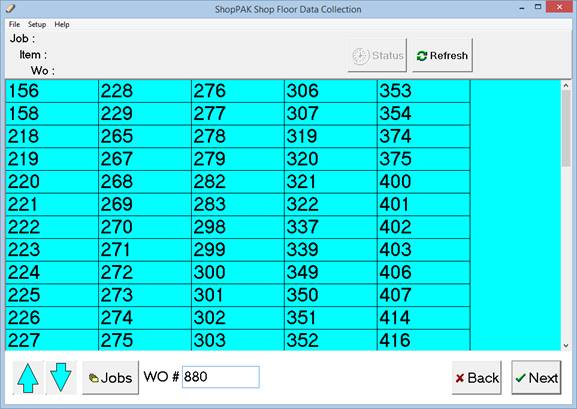
Choose the work order you want to see drawings for:
Clicking 'Next' displays the kiosk 'Drawings' window. All of the work order's drawings are listed at the top. Use the arrow keys to navigate through the list. Choosing a row displays the drawing:
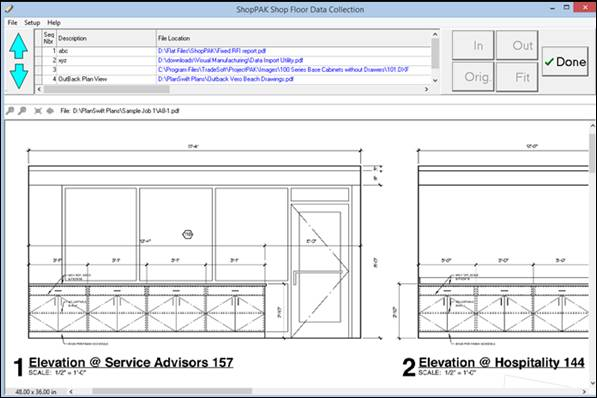
Several graphic file formats are supported including PDF, JPG, BMP, DXF, DWG, TIF, and PNG. User can zoom in, zoom out, and move drawings around as needed.