
Company Number / Code
QuickBooks (export file)
Before exporting payroll hours, you need to determine your QuickBooks “Company Create Time” and enter it in the ShopPAK Options dialog box in the “Company Number / Code” edit box. This is found by selecting Define | ShopPAK Options from the menu and clicking the “Accounting” tab.

To find your QuickBooks “Company Create Time”, open Quickbooks and select File | Timer | Export List for Timer from the QuickBooks menu. Click the OK button.
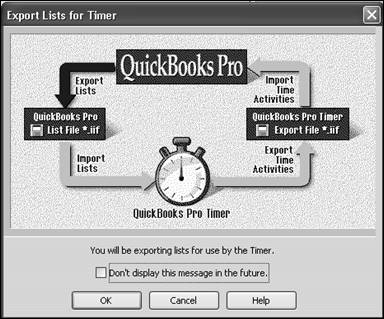
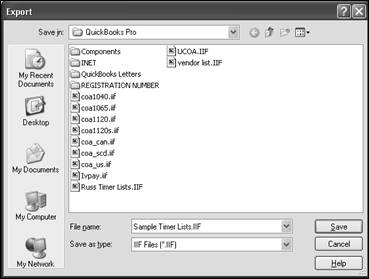
Enter a name for your Timer List output file and click the Save button. This generates a file that contains the Company Create Time key.
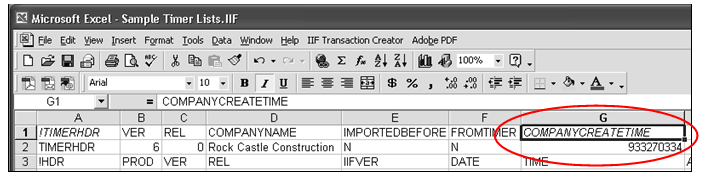
Open the generated file file with Excel and record the number from the COMPANYCREATETIME cell. Enter this into the ShopPAK Options “Company Number / Code” edit box.
ADP
ADP payroll service needs your ADP Company Code included in the export file. Type this into “Company Number / Code” which is found by selecting Define | ShopPAK Options from the menu and clicking the “Accounting” tab.
