
Materials Management
Purchase Orders
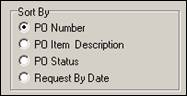
Shows all purchase orders and their underlying PO Item information that have been created for the selected Job Item. Includes PO Number, PO Item description, order quantity, received quantity, back order quantity, status, reconciliation status and date, amounts, etc. When choosing this report, ShopPAK displays sorting options so you can order and sub-total purchase orders different ways:
Inventory Pick List
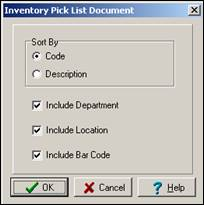
Work Orders contain an area where you can list all of the materials required to fabricate and/or ship the work order. Materials are made up of inventory ‘stock’ items that need to be picked from inventory and specialty items that are purchased directly for the job. The inventory pick list report generates the inventory ‘pick list’ that employees use to pick necessary items from inventory for the selected Job Item. When printing this report, ShopPAK displays the following dialog box to customize how the report looks.
Hardware / Material Pick List
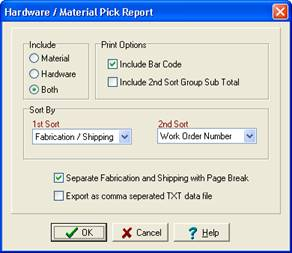
Similar to the Inventory Pick report, but this report also includes non-stock material items and separates material needs into two groups: Fabrication and Shipping.
Inventory Reservations
This report lists all of the reservations that have been placed against inventory for the selected Job Item. Unlike the Inventory Pick List report, which simply lists all stock materials identified as being needed by the Job Item, the Inventory Reservation report focuses on reserved inventory items. The report shows which inventory items are reserved and the quantity reserved, quantity used, and the balance that are still reserved but not yet used.